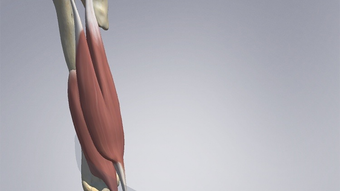

Download 3D Spasticity – 3D anatomy, spasticity, augmented reality, medical education, adult spasticity, interactive anatomy, muscle localization, functional anatomy, clinical reference, AR app, anatomy workbook, rehabilitation, physical therapy, clinical tools
Overview
The 3D Spasticity app is a specialized mobile tool designed for medical professionals seeking an immersive understanding of adult spasticity anatomy. Developed by the Cerebral Palsy Research Network, the app leverages augmented reality (AR) to transform static content from the Workbook for Adult Spasticity into dynamic, interactive 3D models. By scanning specific postures from the workbook, users can explore the anatomical structures involved in spasticity with unprecedented clarity. This includes the ability to rotate models 360 degrees, reveal hidden muscles, adjust limb positions with precision, and access detailed clinical information on muscle localization, functional anatomy, and guidance techniques.
Designed primarily for use in physical therapy, rehabilitation medicine, and clinical education, the app serves as both a learning aid and a reference tool. It enables practitioners to visualize complex spastic postures in real-world contexts, improving diagnostic accuracy and treatment planning. The app addresses a critical need in medical training—bridging the gap between theoretical knowledge and practical application—by offering a tactile, visual experience that complements traditional study methods. Its focus on adult spasticity, a condition often underemphasized in standard anatomy curricula, positions it as a niche but essential resource in specialized medical education.
Although the developer did not provide additional technical details about the app’s development process or research validation, its integration with a published workbook suggests a foundation in clinical practice. The app’s role in enhancing anatomical literacy and supporting evidence-based interventions underscores its importance within the medical technology ecosystem. For educators and clinicians, it offers a modern, engaging way to deepen understanding of a challenging clinical topic.
Key Features & Functionality
- Augmented Reality Integration: Users can scan physical postures from the accompanying workbook to activate 3D models in real space, enabling spatial visualization of spasticity patterns.
- 360-Degree Rotation: Full rotational control allows for comprehensive examination of limb positioning and muscle engagement from any angle.
- Hidden Muscle Visualization: The app reveals underlying muscles not visible in surface-level diagrams, enhancing depth perception and anatomical accuracy.
- Adjustable Limb Positioning: Users can manipulate limb angles to simulate different spastic postures, aiding in clinical assessment and treatment simulation.
- Integrated Clinical Information: Each model includes access to functional anatomy, muscle localization, guidance techniques, and clinical considerations relevant to rehabilitation.
- Workbook-Driven Interaction: The app is designed to work exclusively with the Workbook for Adult Spasticity, ensuring alignment with validated clinical content.
These features are particularly beneficial in clinical training scenarios where understanding muscle imbalance and joint alignment is crucial. For example, a physical therapist preparing for a patient consultation can use the app to simulate a flexed elbow posture, identify overactive muscles like the brachialis and biceps, and visualize how corrective positioning affects surrounding structures. Similarly, medical students can explore the relationship between spasticity and gait abnormalities by manipulating lower limb models and observing changes in muscle tension.
The interactive nature of the app supports experiential learning, which has been shown to improve retention and application in medical education. By allowing users to engage with anatomy in a dynamic, hands-on manner, the app fosters deeper comprehension and confidence in clinical decision-making. Its focus on real-world postures from a published workbook ensures that the content remains clinically relevant and educationally sound.
Interface, UX & Performance
The app’s interface is designed with clinical utility in mind, prioritizing clarity and ease of navigation. Users are guided through a straightforward workflow: open the app, align the camera with a page from the workbook, and wait for the 3D model to appear. Once activated, the model can be manipulated using intuitive touch gestures—pinch to zoom, swipe to rotate, and drag to reposition limbs. The visual style is clean and professional, with anatomical structures rendered in clear, color-coded detail to distinguish between muscle groups and connective tissues.
Navigation is consistent across all features, minimizing the learning curve for new users. The app does not include unnecessary animations or distractions, maintaining a focused experience suitable for clinical environments. Although the developer did not list formal performance metrics, the app’s functionality suggests optimized rendering for standard Android devices. Users can expect responsive interaction during model manipulation, with minimal lag during rotation and zooming.
Stability appears to be a priority, as the app functions reliably within the scope of its intended use. The AR detection system appears accurate, with consistent recognition of workbook pages under normal lighting conditions. However, performance may vary depending on device capabilities, particularly in terms of camera processing and GPU performance. The developer did not specify minimum hardware requirements, so users are advised to test the app on their devices to ensure compatibility. Overall, the user experience is streamlined and purpose-built for medical professionals seeking a reliable tool for anatomical exploration.
Platform Compatibility & Technical Requirements
The 3D Spasticity app is available exclusively on the Android platform. It requires Android OS version 8.0 or higher, though the developer did not specify exact minimum requirements. The app has a file size of 250 MB, which is moderate for an AR-enabled application with detailed 3D models. This size reflects the inclusion of high-quality assets necessary for accurate anatomical visualization.
Compatibility information was not fully disclosed, so users should ensure their device supports ARCore, the platform’s augmented reality framework. While the app is free to download and install, it relies on a physical workbook for full functionality. Without the workbook, the app cannot activate its core features. Users should verify that their Android device meets the necessary hardware standards for AR functionality, including a compatible camera and sufficient processing power.
Pros and Cons
- Provides an immersive, interactive experience for learning adult spasticity anatomy
- Uses augmented reality to bridge the gap between static diagrams and real-world anatomy
- Offers detailed clinical information integrated with visual models
- Designed for use with a validated clinical workbook, ensuring content accuracy
- Free to download and install, making it accessible to a wide range of users
- Requires a physical workbook to function, limiting standalone use
- Available only on Android, restricting access for iOS users
- Performance may vary across devices due to lack of specified technical requirements
- No offline mode was mentioned; internet connection may be required for updates or content access
- Limited to a specific clinical topic, reducing general-purpose utility
FAQ
Is the 3D Spasticity app compatible with iOS devices?
The app is currently available only on Android. There is no official iOS version released at this time.
Do I need to purchase the workbook to use the app?
Yes, the app is designed to work exclusively with the Workbook for Adult Spasticity. Without the workbook, the app cannot activate its augmented reality features.
Is the app free to download and use?
Yes, the app is free to download and install. There are no in-app purchases or subscription fees.
What devices support the augmented reality features?
The app requires Android devices with ARCore support. Specific hardware requirements were not listed by the developer.
Can I use the app without an internet connection?
While the app may function offline after installation, the developer did not confirm whether all features are available without internet access. It is recommended to maintain connectivity for updates and optimal performance.
Final Thoughts
The 3D Spasticity app stands out as a thoughtful, clinically grounded tool for medical professionals and students focused on rehabilitation and physical therapy. By transforming static workbook content into interactive 3D models through augmented reality, it offers a fresh and effective approach to mastering the complexities of adult spasticity anatomy. Its emphasis on functional anatomy, muscle localization, and clinical application makes it a valuable supplement to traditional education and practice.
While its reliance on a physical workbook and limited platform availability are notable constraints, the app’s free access and targeted design make it a compelling resource for those in the field. For physical therapists, medical educators, and rehabilitation specialists, it provides a unique opportunity to visualize and understand spastic postures in a way that textbooks alone cannot deliver.
With its professional interface, intuitive UX, and strong focus on clinical relevance, 3D Spasticity delivers meaningful value in a niche but important area of medicine. Download 3D Spasticity now to elevate your understanding of adult spasticity and enhance your clinical practice.







